




A leave tracker nobody trusted, rebuilt inside Slack
Knode, a team availability platform. Designed, built and shipped alone in two weeks.
- Role
- Solo designer and developer
- Product
- Knode, knode.space
- Timeline
- Two weeks to V1
- Status
- Live and in daily use
01Problem
By Wednesday nobody believes the sheet
Every agency runs on knowing who is around. Who is in office, who is at home, who is on leave, and so who can be pulled onto something today.
My team tracked that in an Excel sheet. It worked the way these sheets always work. One person updates it late, another forgets, and by Wednesday nobody believes what it says.
A sheet that is only sometimes right is worse than no sheet, because you still have to check it and then check again with a person.
02Confirming the problem
The workaround was already there
I did not have to go hunting for research. I was inside the problem every week, and so were the eleven people around me. That helps, and it also traps you, because being your own user makes it easy to build for your own habits and call that proof.
So I did not watch what people said they wanted. I watched where they went when the sheet failed them. They opened Slack and asked.
The sheet did not fail because it was a sheet. It failed because updating it happened away from where work happens, so the update always lost to the work.
That is the whole diagnosis. The workaround was already there, in Slack, and it was reliable in a way the sheet was not. The product's job was to make that workaround official instead of sending people somewhere new.
03Process and iteration
Two weeks decided almost everything
I designed, built, connected and shipped V1 myself in two weeks. That single limit decided almost everything the product became.
Being the designer and the developer removes the handoff, which is the usual place where scope quietly grows. It also means every design idea gets priced in build time immediately, so ambition turns honest by about day three.
What came out was a small V1 on purpose. One main view, one integration, and a calendar. Nothing else.
04The design
One question, answered where the work already is
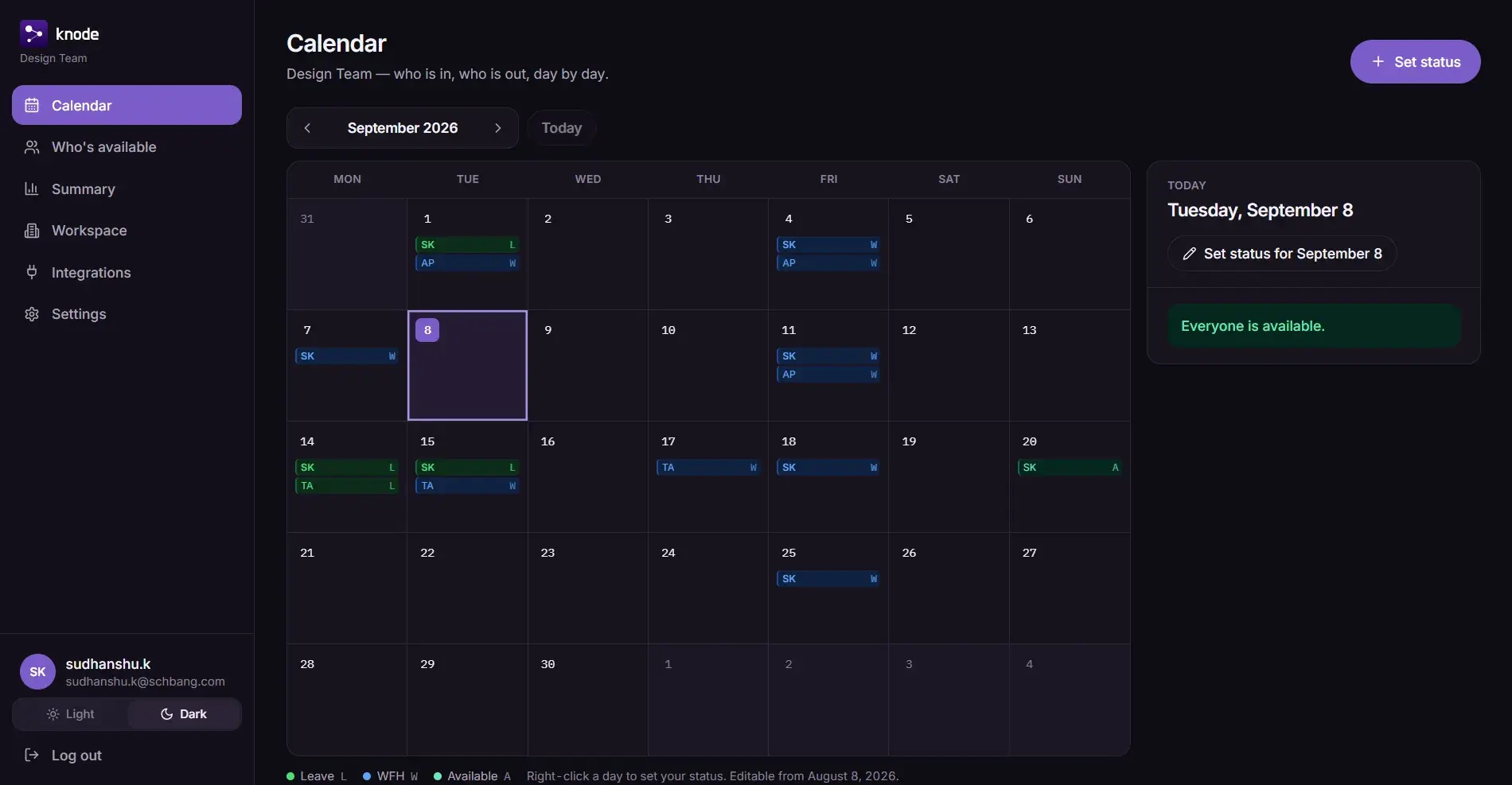
The main view answers one question. Not a grid to read and interpret, but a direct answer to who can I count on today, visible the moment the app opens.
A spreadsheet makes you do the work of turning rows into an answer. The product does that work for you. That is the entire difference between the two.
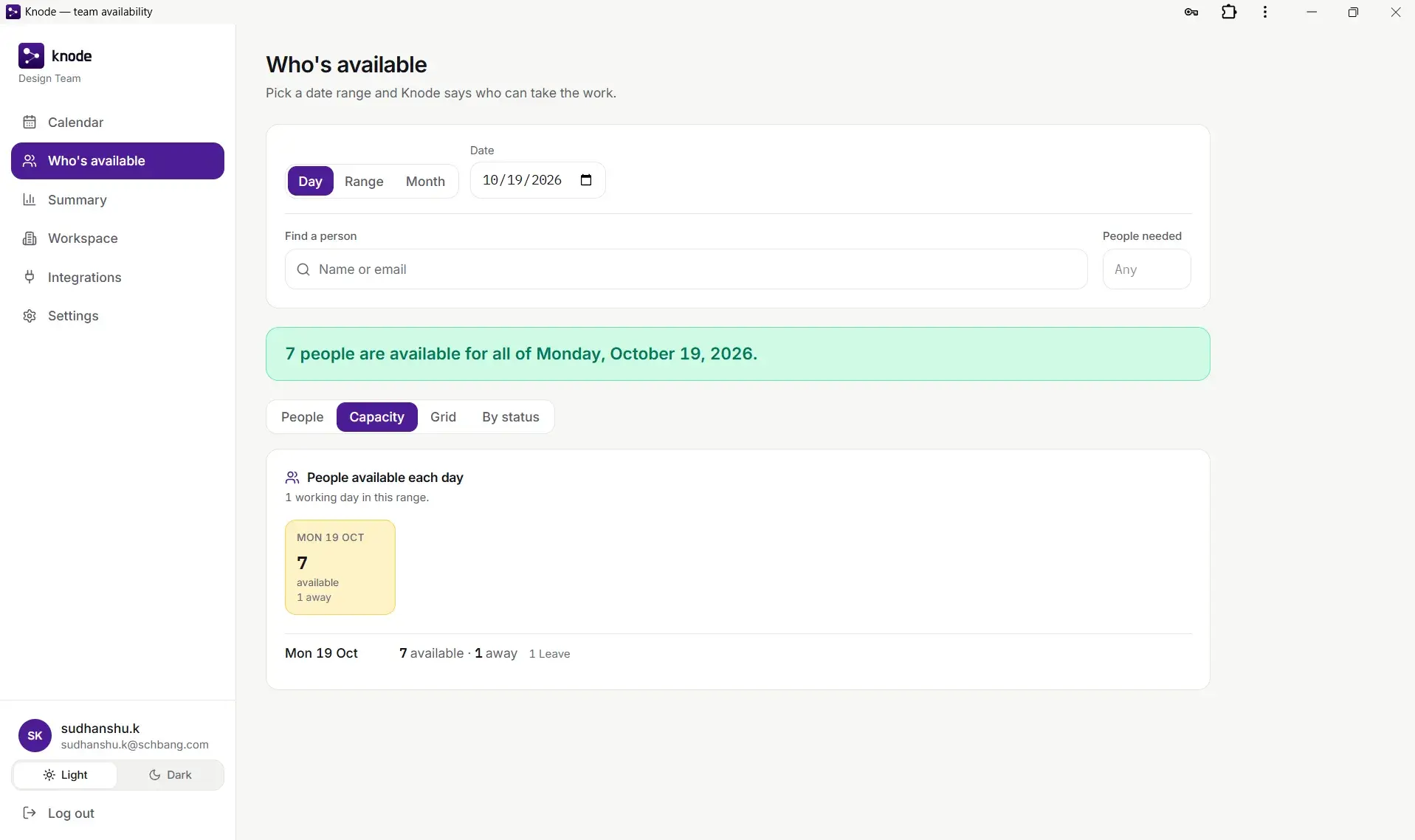
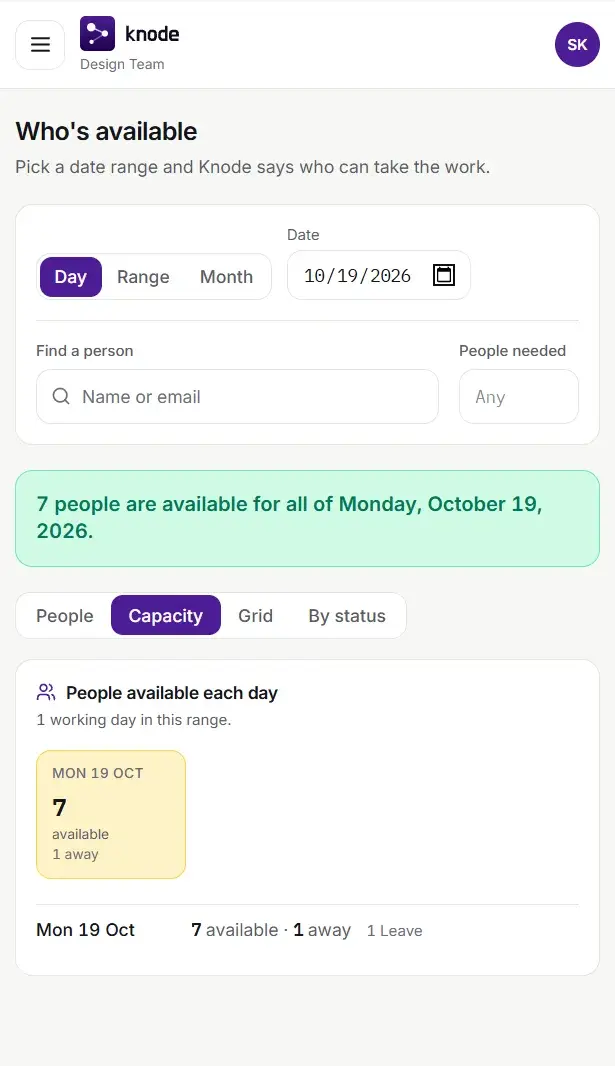
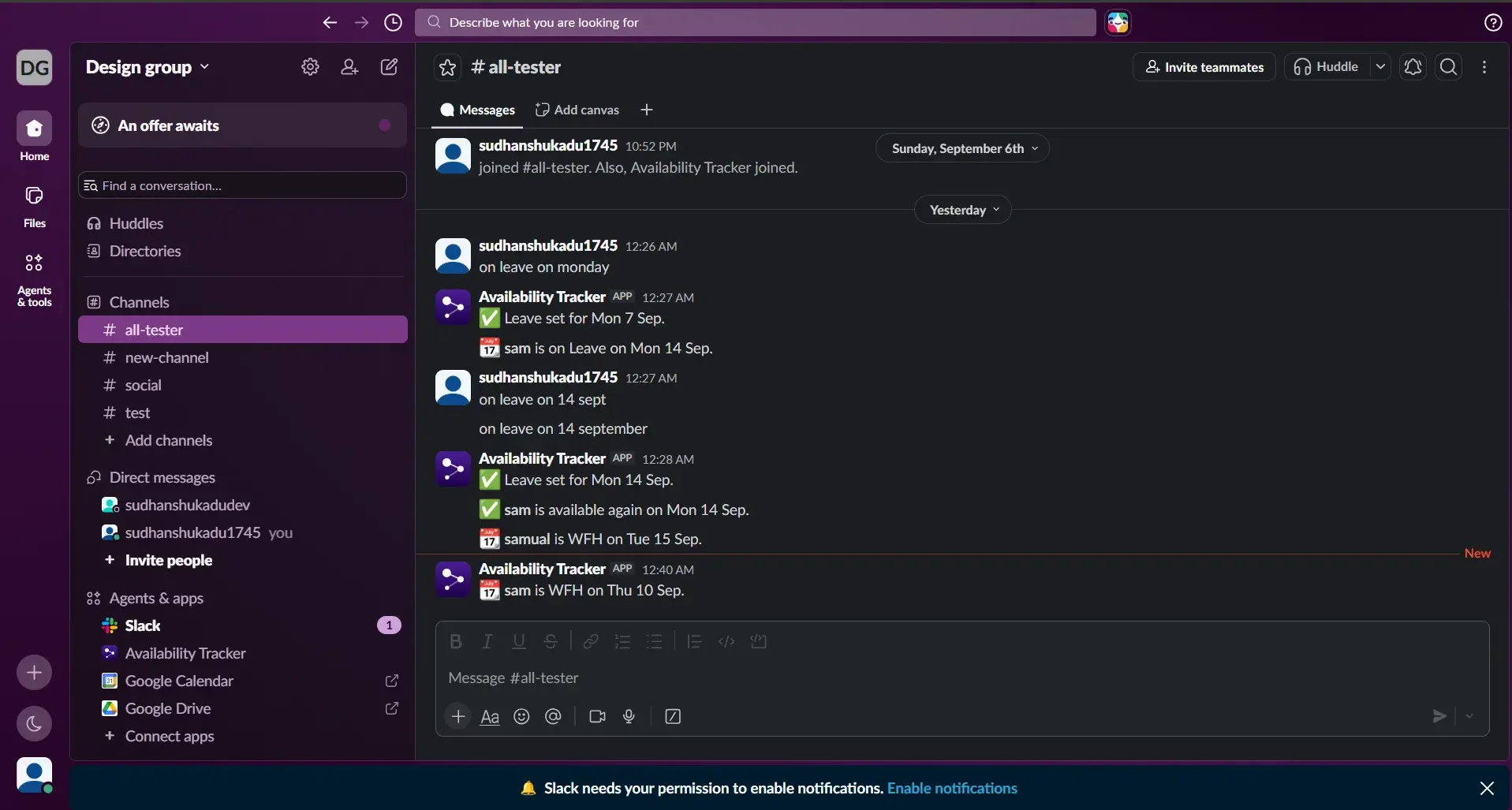
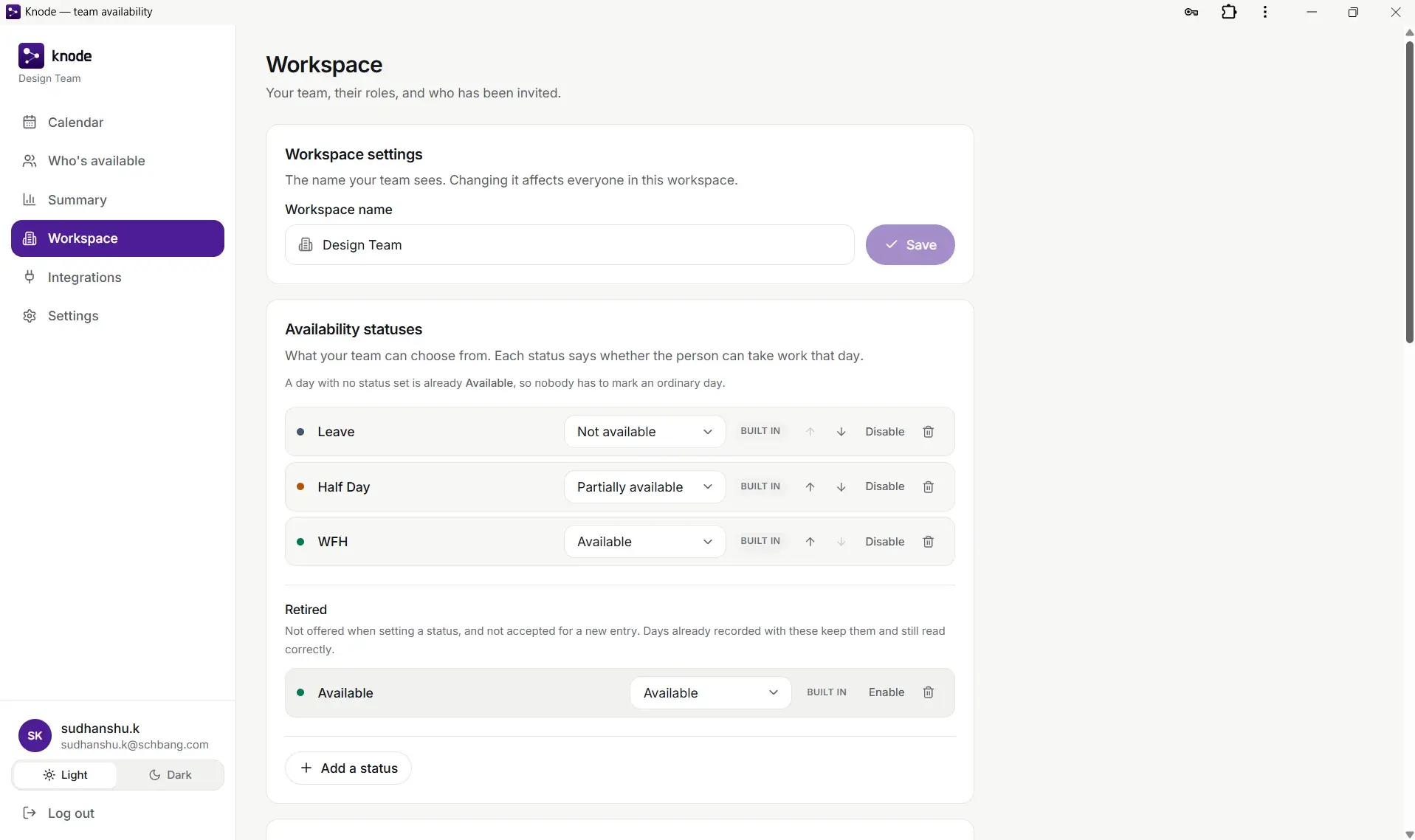
Updating happens where you already are. Status changes run through Slack, so marking yourself as working from home happens in the tool you have open anyway, not on a separate site you have to remember to visit.
The detour was the failure. Removing the detour is the product. Everything else is support.
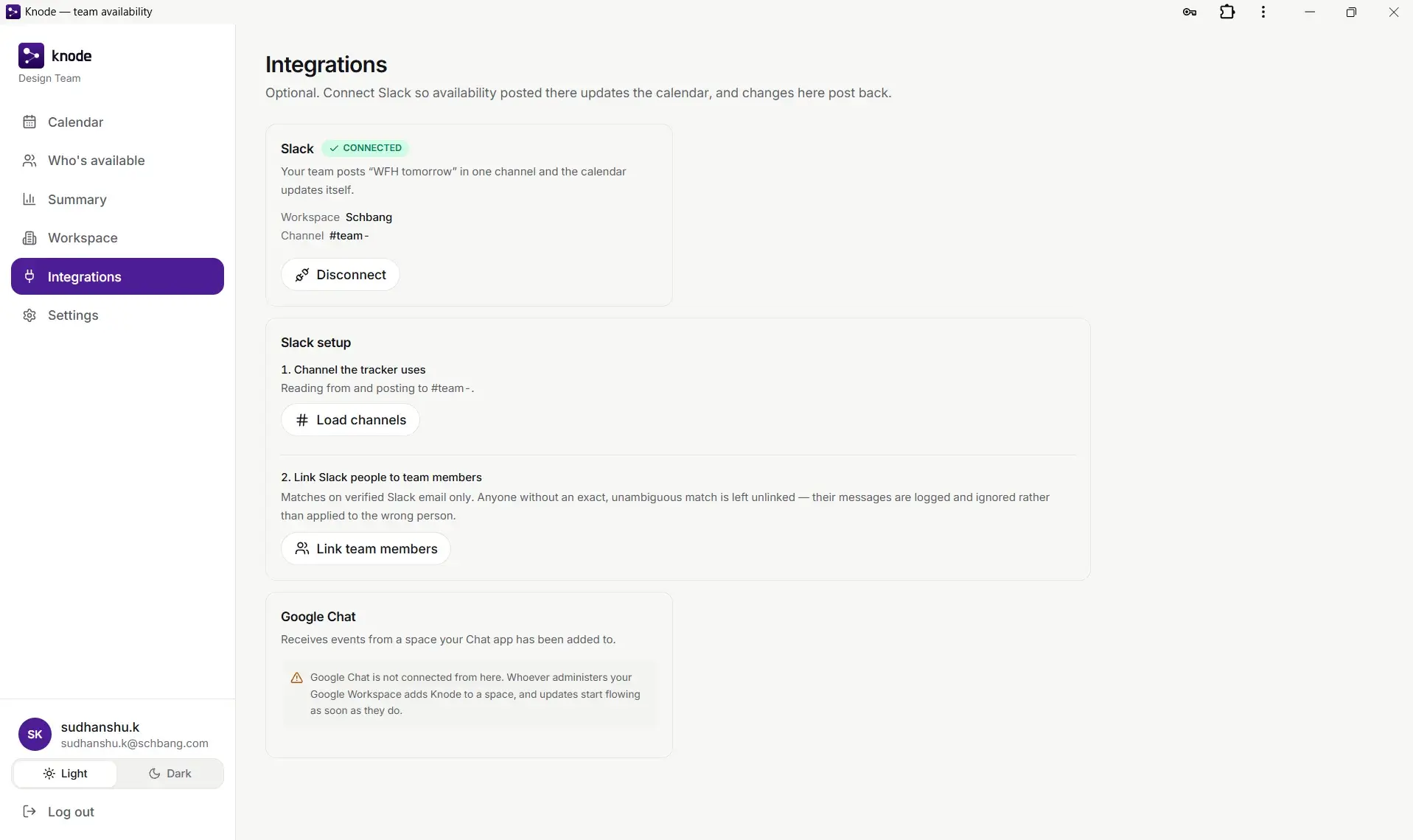
Connecting it is one screen, and the only part worth arguing about is how people are matched. Knode matches on a verified Slack email and nothing else. Anyone without an exact match is left unlinked and their messages are logged and ignored, rather than applied to whoever looked closest.
The calendar is for looking forward. The main view answers today. The calendar answers next week, which is when resourcing decisions actually get made.
05Shipping alone
When you are the developer, cost is not an idea
Designing and building the same product changes what gets built, and not only because it is faster.
When you hand a design to a developer, cost is an idea. When you are the developer, every extra state, every edge case and every nice to have is a cost you personally pay that evening. I cut more, and earlier, and the V1 is better for it.
The gap between what is easy to draw and what is expensive to build is where most scope creep lives. Removing the gap removes the creep.
06Outcome
The Excel tracker is gone
V1 is live at knode.space. My team of about twelve now uses it, and the Excel leave tracker is gone.
For a product like this, that is the outcome that counts. Not signups, not visits. The old thing stopped being used.
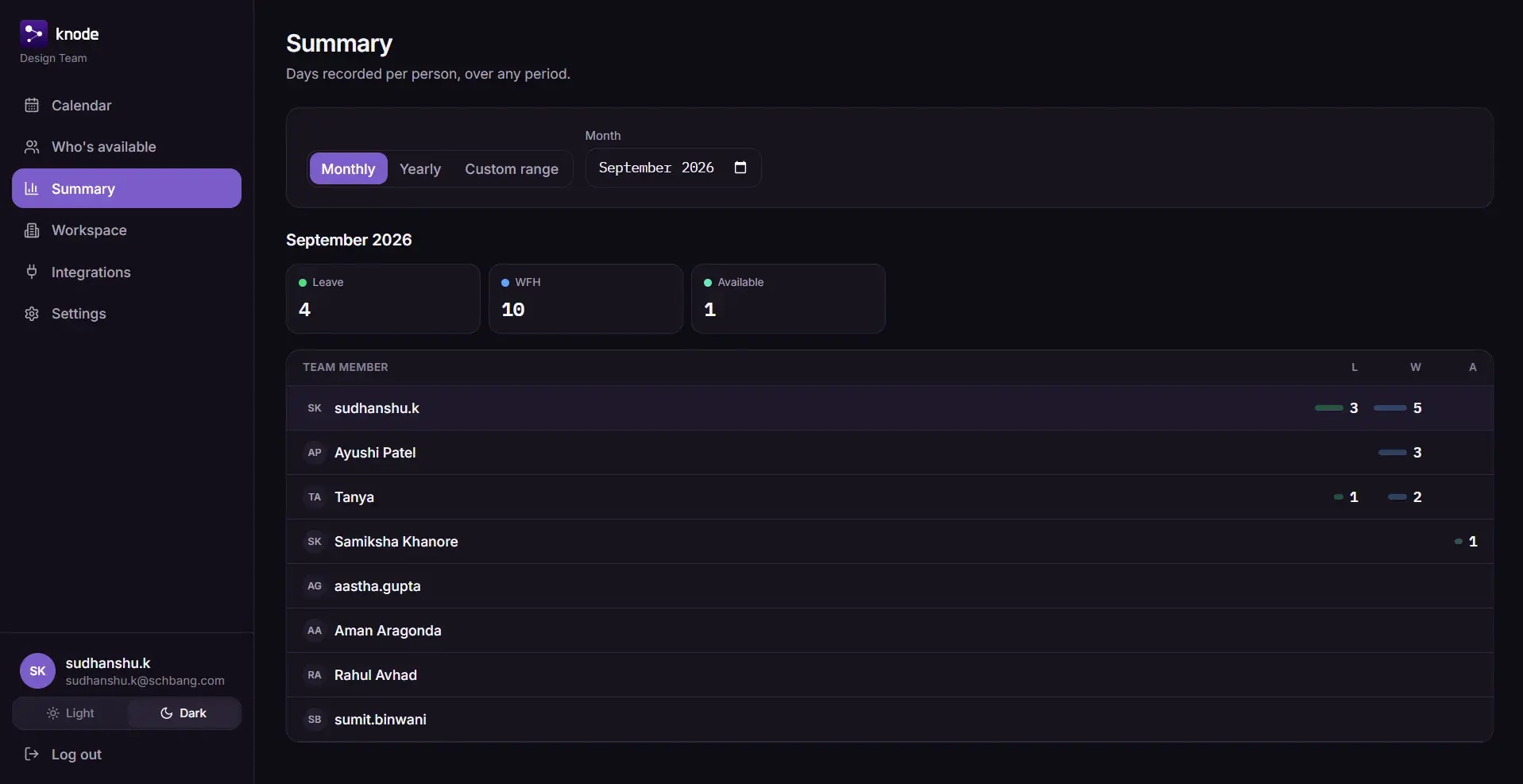
What I would measure
| Number | What it tells you |
|---|---|
| How much of the team updates weekly without being reminded | Whether moving it into Slack really removed the detour |
| How old the oldest status is on any given day | The exact failure of the sheet, measured directly |
| How often people open the availability view | Whether they trust it enough to check instead of asking |
07Conclusion
What it did to my judgement about scope
The most useful thing about shipping this alone was not the product. It was what it did to my judgement about scope.
What I would carry forward
Follow the workaround
People already had a fix when the sheet failed, which was to ask on Slack. The job was to make that fix reliable, not to replace it with somewhere new to go.
Build where the behaviour already is
A tool that needs a new habit loses to the habit people already have.
The result to look for is the old thing being dropped
Usage numbers can flatter you. A sheet nobody opens cannot.
Making something interesting or weird?